---
title: "LIN155 & ETY155 CORE"
type: "wiki"
space: "School of Information Technology Administration & Security"
author: "Fabio Pricinato Costa"
created: 2025-05-02T00:53:03Z
updated: 2026-09-17T16:35:31Z
tags: ["ety155", "lin155"]
url: "https://students.senecapolytechnic.ca/spaces/14/school-of-information-technology-administration-security/wiki/view/16546/lin155-ety155-core"
---
# LIN155 & ETY155 CORE
*Navigation of this Page:*
| |
| --- |
**COURSE INFORMATION**
**Course Outline:**
[LIN155/ETY155 Course Outline](https://syl.senecapolytechnic.ca/).
**Textbook:**
**LIN155:** "Electronics for Dummies, 3rd Ed." by Cathleen Shamieh. Published John Wiley & Sons Inc. Available through the Seneca Library on the shelf \(NH campus, General Collection TK7819 .M38 2015\) and also in ebook format with login \([1](https://libaccess.senecapolytechnic.ca/login?url=https://www.safaribooksonline.com/library/view/Electronics-for-dummies/9781119117988/?ar/?orpq&email=%5Eu) or [2](https://libaccess.senecapolytechnic.ca/login?url=https://ebookcentral.proquest.com/lib/senecac/detail.action?pq-origsite=primo&docID=4041045)\).
**ETY155:** "Introduction to Electric Circuits, 10th Ed.\) by Jackson, H.; Temple, D.; Kelly, B.; Craigs, K.; Fuentes, L. Available through the Seneca Library on the shelf \(NH campus, General Collection TK454 .J28 2019, check if [in library](https://senecacollege.primo.exlibrisgroup.com/discovery/fulldisplay?docid=alma997276993303226&context=L&vid=01SENC_INST:01SENC)\).
**Where is Sayal Electronics?**
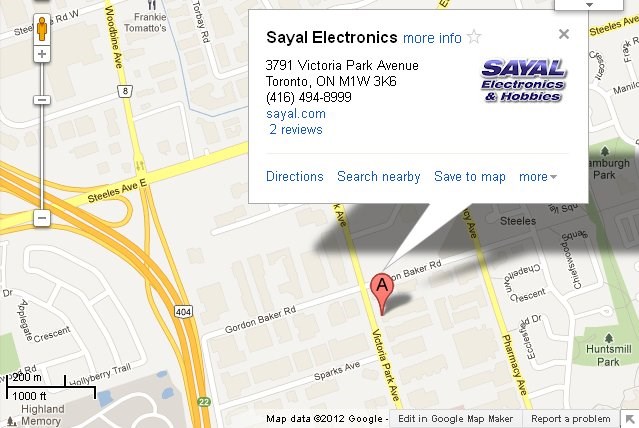
Sayal Electronics is about 3 km North-East from Seneca Polytechnic, Newnham Campus. See image below for a map to their location. Click the image or [this link](https://secure.sayal.com/STORE4/storelocations.php) to visit their website and find their hours of operation. Look for their Scarborough location, where all the LIN & ETY kits are available for purchase for Seneca students.
[](https://secure.sayal.com/STORE4/storelocations.php)
**Lab Kit Contents:**
Winter 2024: [LIN155 Lab Kit List](https://students.senecapolytechnic.ca/spaces/14/school-of-information-technology-administration-security/files/16549/lin155-kit-2241-pdf). [ETY155 Lab Kit List](https://students.senecapolytechnic.ca/spaces/14/school-of-information-technology-administration-security/files/16550/ety155-kit-2241-pdf).
These are the latest Lab Kit contents lists for LIN155 and ETY155. You can purchase all items in a pre-made package from Sayal Electronics. Be sure to attend your Lab 1 in both courses for instructions before going to the store. You will need to buy your own kit in Week 1 and bring it to your lab section every week, starting in Week 2.
Tips: Make plans to go to the store with a friend by the end of Week 1.
**TOPIC 1: SAFETY TRAINING**
- [Basic Electrical Safety.pdf](https://students.senecapolytechnic.ca/spaces/14/school-of-information-technology-administration-security/files/16592/lec01a-safety-basic-electrical-safety-pdf)
- [Electrical Hazards - Lab Safety.pdf](https://students.senecapolytechnic.ca/spaces/14/school-of-information-technology-administration-security/files/16591/lec01b-safety-electrical-hazards-pdf)
- [Occupational Health & Safety Act.pdf](https://students.senecapolytechnic.ca/spaces/14/school-of-information-technology-administration-security/files/16590/lec02-occupational-health-safety-act-pdf)
- [OHSA Guide.pdf](https://students.senecapolytechnic.ca/spaces/14/school-of-information-technology-administration-security/files/16588/ohsa_guide-pdf)
- [Sample Safety Quiz Questions.pdf](https://students.senecapolytechnic.ca/spaces/14/school-of-information-technology-administration-security/files/16589/sample-safety-quiz-questions-pdf)
**TOPIC 2: WHMIS**
WHMIS is a comprehensive plan for providing information on the safe use of hazardous products used in Canadian workplaces \(https://CCOHS.ca\). "WHMIS 2015" incorporates global standards for hazard communication under GHS \(Globally Harmonized System of Classification and Labelling of Chemicals\), the details of which are discussed in our student training module.
- **How to access the [WHMIS Training Module](https://students.senecapolytechnic.ca/spaces/14/school-of-information-technology-administration-security/files/18435/lin155-whmis-certificate-procedure-students-pdf) online.**
Quiz questions are provided in each of the 5 sections in the training module, and also in the final quiz at the end. Use these questions to help solidify your knowledge and understanding of the material.
Additional materials have been posted below.
- WHMIS 2015 Guide PDFs: [MOL Guide.pdf](https://students.senecapolytechnic.ca/spaces/14/school-of-information-technology-administration-security/files/16596/whmis-2015_mol_guide_en-pdf), [Label Elements.pdf](https://students.senecapolytechnic.ca/spaces/14/school-of-information-technology-administration-security/files/16597/whmis-2015_label_elements-pdf), [Fact Sheets.pdf](https://students.senecapolytechnic.ca/spaces/14/school-of-information-technology-administration-security/files/16598/whmis-2015_fact_sheets-pdf)
- [Sample WHMIS Questions.pdf](https://students.senecapolytechnic.ca/spaces/14/school-of-information-technology-administration-security/files/16594/sample-whmis-questions-pdf)
- [Sample WHMIS Pictograms.pdf](https://students.senecapolytechnic.ca/spaces/14/school-of-information-technology-administration-security/files/16595/sample-whmis-pictograms-pdf)
- [CCOHS Additional Resources Online](https://www.ccohs.ca/oshanswers/chemicals/whmis_ghs)
**For current LIN155 students:**
- **Lab 2:** Prior to attending Lab 2, complete a full walk-through of the WHMIS training module and take written notes based on the topics presented. During the Lab 2 session on campus, you will perform two tasks: the first is completing the WHMIS training module certificate in person, and upload the certificate to a Blackboard dropbox; the second is completing an in-class WHMIS Quiz, for marks, to be submitted before the lab ends. You may use only your own written notes during both the certificate and the quiz.
- **Other Assessments:** WHMIS concepts will also be featured on **Term Test #2** and the **Final Exam**. Passing Term Test 2 is a requirement of the course. Both of these assessments are closed-book: you may not use your written notes during these tests.
**TOPIC 3: OSCILLOSCOPE & FUNCTION GENERATOR**
- [Oscilloscope Exercises.pdf](https://students.senecapolytechnic.ca/spaces/14/school-of-information-technology-administration-security/files/16599/oscilloscope-exercises-pdf)
- [DSOX 2002A Scope Guide User.pdf](https://students.senecapolytechnic.ca/spaces/14/school-of-information-technology-administration-security/files/16601/dsox-2002a-user-guide-pdf)
- [Agilent Function Generator - How to Set High Z](https://students.senecapolytechnic.ca/spaces/14/school-of-information-technology-administration-security/files/16602/agilent-function-generator_highz-pdf)
- [Keysight's Oscilloscope Lab Guide and Tutorials.pdf](https://students.senecapolytechnic.ca/spaces/14/school-of-information-technology-administration-security/files/16600/keysight-lab-guide-and-tutorials-9018-03428-pdf)
- Website: [Interactive Function Generator and Oscilloscope](https://www.physics-chemistry-interactive-flash-animation.com/electricity_electromagnetism_interactive/oscilloscope_V_T.htm)
- Video: [Why is my Function Generator voltage doubled?](https://www.youtube.com/watch?v=6GKAugxAsHU)
The output voltage shown on the Oscilloscope might measure **double** the value that was set on the Function Generator... Find out why!
\(This link shows you how to fix it on an Agilent 33210A, 33220A, or 33250A Function Generator.\)
**TOPIC 4: SOLDERING TECHNIQUES**
| [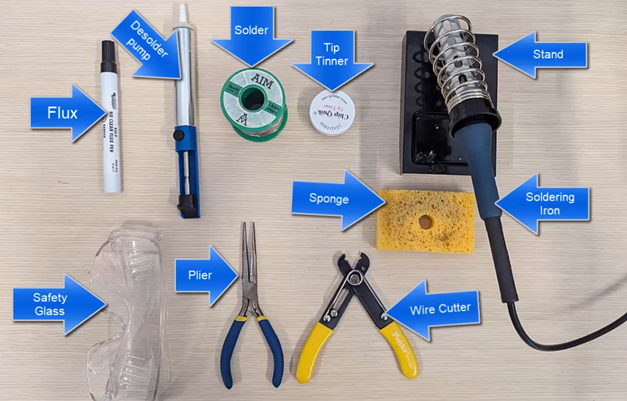](https://youtu.be/ofovBGzEEBA) | https://youtu.be/ofovBGzEEBA
Soldering Techniques
*SITAS* |
| :---: | :--- |
| 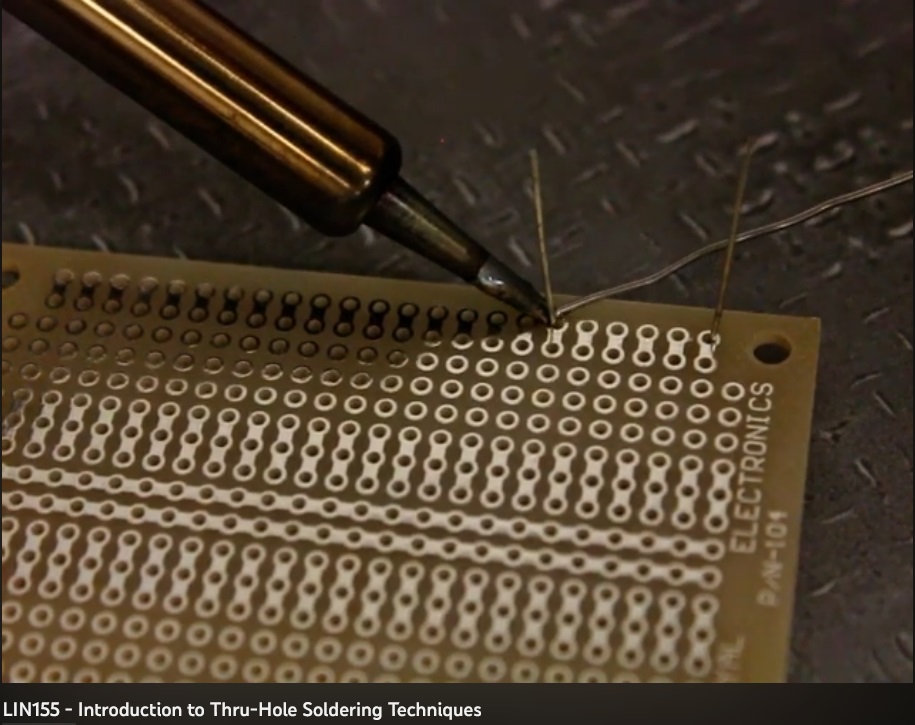 | https://youtu.be/aWD_ov3JO2g
Thru-Hole Soldering Techniques
*SITAS* |
| 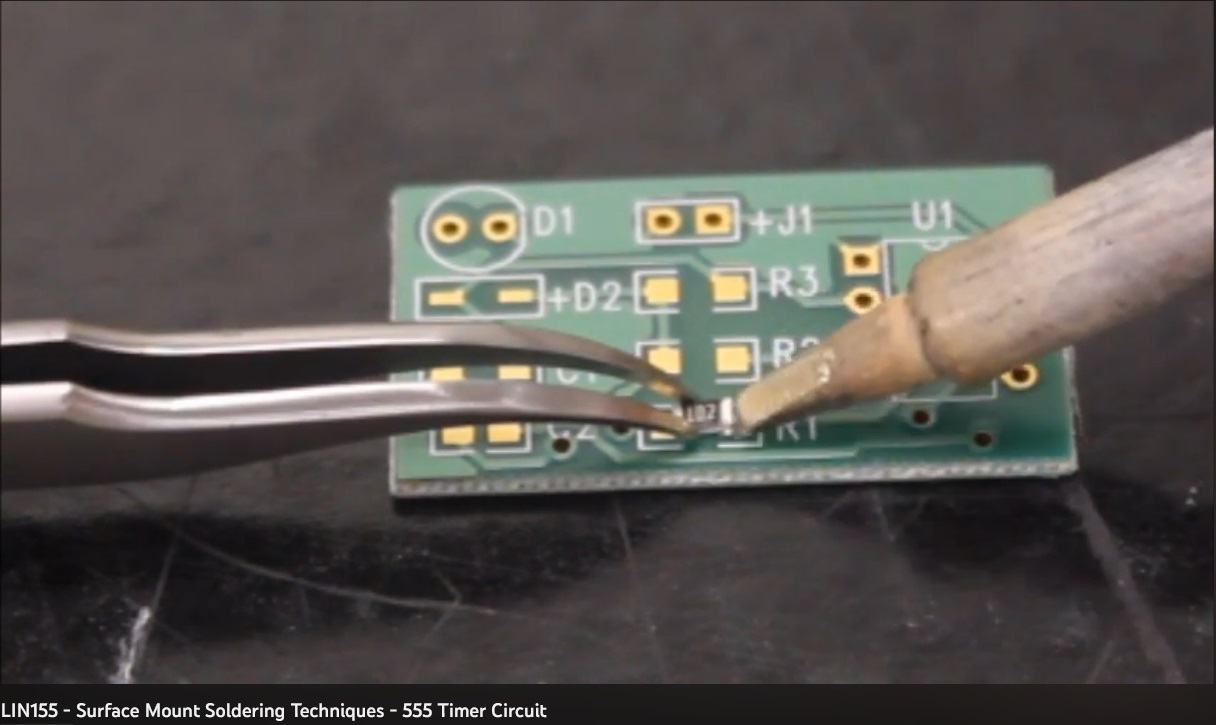 | https://youtu.be/IOTC2zLYx1A
Surface-Mount Soldering Techniques
*SITAS* |
| [](https://learn.sparkfun.com/tutorials/how-to-solder-through-hole-soldering) | https://learn.sparkfun.com/tutorials/how-to-solder-through-hole-soldering
How to Solder: Thru-Hole Soldering
*SparkFun* |
| [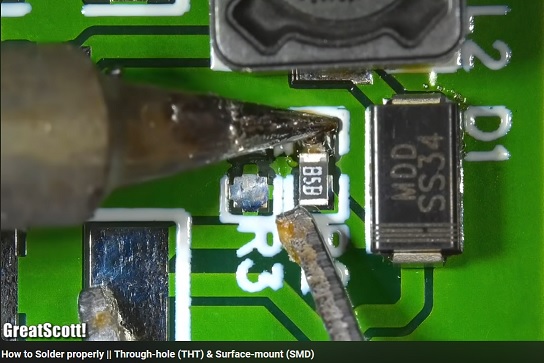](http://youtu.be/VxMV6wGS3NY) | http://youtu.be/VxMV6wGS3NY
How to Solder Properly: THT & SMD
*Great Scott* |
| [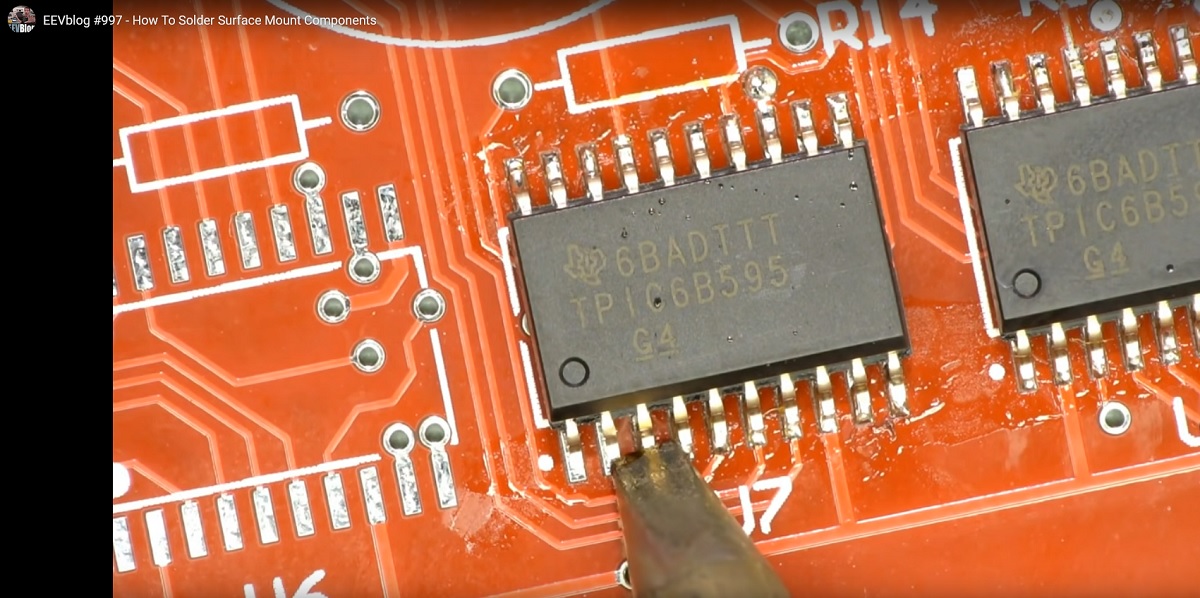](https://www.youtubetrimmer.com/view/?v=hoLf8gvvXXU&start=596&end=742&loop=0) | [https://www.youtubetrimmer.com/view/?v=hoLf8gvvXXU&start=596&end=742&loop=0](https://www.youtubetrimmer.com/view/?v=hoLf8gvvXXU&start=596&end=742&loop=0)http://youtu.be/35YuILUlfGs
How to Solder Surface Mount Components
*EEVblog* |
| [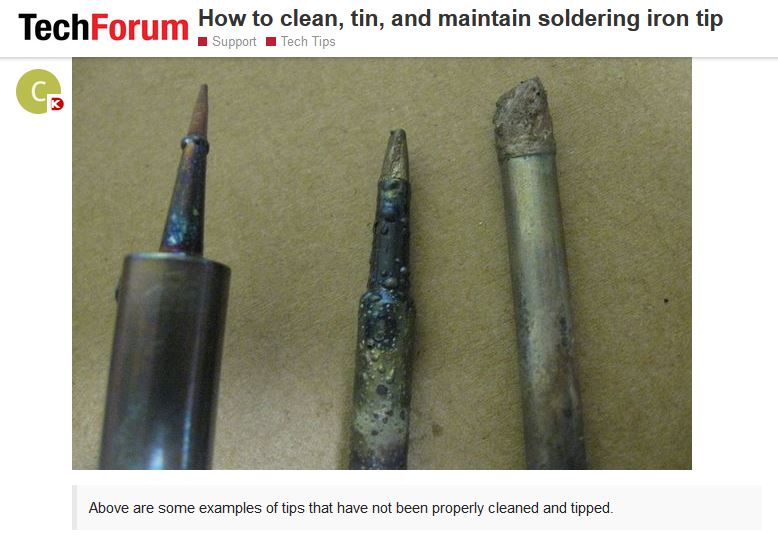](https://forum.digikey.com/t/how-to-clean-tin-and-maintain-soldering-iron-tip/2006) | https://forum.digikey.com/t/how-to-clean-tin-and-maintain-soldering-iron-tip/2006http://youtu.be/35YuILUlfGs
How to Clean, Tin, and Maintain Soldering Iron Tip
*DigiKey* |
**TOPIC 5: PCB DESIGN SOFTWARE**
**How to Start Using Fusion Software:**
- **Step 1:** Create a 30-day Trial account. Go to [Autodesk.com](https://www.autodesk.com/ca-en) and make a free account using your Seneca Polytechnic email.
- **Step 2:** Then, upgrade your Trial to a 1-year renewable Student account. This can be done later in the week if you have to start a project in the lab now. Read the [student account instructions](https://www.autodesk.com/ca-en/support/account/education/students-educators/get-started) and send proof of your student or educator status \(eg. a screenshot of your official timetable along with your student OneCard\). Processing time for this upgrade is approximately 15-20 minutes.
- **Step 3:** In the labs, use MyApps to launch Fusion and login.
- On your own laptop, you may install a local copy of Fusion and login to your same account.
- Once you have your 1-yr student account set up, you may login and run the software from an online browser: https://fusion.online.autodesk.com
**SITAS Resources for using Autodesk Fusion:**
The Seneca PCB Lab requests that you follow a specific procedure before they can print your designs. For a full set of instructions on how to design a schematic and PCB from start to finish, follow the LIN155 lab instructions below.
Read and follow everything carefully -- don't skip steps!
- **[PDF - LIN155 Lab Instructions for Autodesk Fusion](https://students.senecapolytechnic.ca/spaces/14/school-of-information-technology-administration-security/files/16610/lin155_lab08_pcbdesign-fusion_2601-pdf)** - Full step-by-step instructions for the creation of a simple schematic and PCB design using Fusion software. Updated to use the new .lbr file for SITAS students. ****
- **[LBR - Download the SEMET library file](https://students.senecapolytechnic.ca/spaces/14/school-of-information-technology-administration-security/files/16990/fusion-pcb-library-7z)** - SITAS \(previously known as SEMET\) students may use a specially curated Fusion file with pre-set parts when designing their PCBs. Suitable for all first and second semester courses. There is a list of all the [part types](https://students.senecapolytechnic.ca/spaces/11/school-of-electronics-mechanical-engineering-technology/files/15458/list-of-components-in-semet-library-pdf) included in the LBR file. Instructions on how to use the library file are found inside the LIN155 Lab for Fusion \(PDF link above\).https://www.youtube.com/watch?v=QreU_YbPuac
- **[Webpage - Seneca PCB Lab Instructions](https://students.senecapolytechnic.ca/spaces/14/school-of-information-technology-administration-security/wiki/view/4242/pcb-printing?language=en-US)** - Always check the latest instructions and tolerances from SITAS's in-house PCB Lab. You must meet their requirements in order to print your \(free!\) PCBs for your classes.
| Supplemental Resources | |
| :---: | :--- |
**TOPIC 6: MS VISIO - FLOOR TEMPLATES**
- [MS Visio - Floor Plan Templates.7z](https://students.senecapolytechnic.ca/spaces/14/school-of-information-technology-administration-security/files/16619/ms-visio-floor-plan-templates-7z)
To get your lab room's floor plan:
Download the above .7z file, extract all the files, select the .vsd file that matches your room \(**A4058**, **A4068**, **A4071**, **A4072, A4073**\), rename the filename to include your own name, and then open it to start working on the lab procedures.
**LIN155 - SAMPLE STUDY QUESTIONS**
- [LIN155 - Sample Study Questions.pdf](https://students.senecapolytechnic.ca/spaces/14/school-of-information-technology-administration-security/files/16587/lin155_practicequestions-pdf)
**LIN155 - ADDITIONAL VIDEOS & WEBSITES**
| Resistors | |
| :---: | :--- |
| Breadboards | |
| Tools | |
| Equipment | |
| Soldering | |
| Simulations
in OrCAD | |
| DigiKey EDA
& Design Tools | |
**ETY155 - EXAMPLE LAB VIDEOS & WEBSITES**
Additional online resources for ETY155 can be found on a [separate page](https://students.senecapolytechnic.ca/spaces/14/school-of-information-technology-administration-security/wiki/view/16547/ety155-additional-online-resources).
**ACADEMIC INTEGRITY**
| General Information | |
| :---: | :--- |
| AI Policy @Seneca | |
| Related Videos | |
## Attachments
- [SayalElectronicsMap.jpg](https://students.senecapolytechnic.ca/attachment?file=%252F%252FpA0aOBFPv7WjGgxA8q7w%253D%253D)
- [SEMET-SolderingTechniques.png](https://students.senecapolytechnic.ca/attachment?file=m2UUUKWUidjZSz35naWhTQ%253D%253D)
- [SEMETYouTube_Soldering.jpg](https://students.senecapolytechnic.ca/attachment?file=CUqk%252FDWqfnFwQtfXKFp9ng%253D%253D)
- [SEMETYouTube_SolderingSMT.jpg](https://students.senecapolytechnic.ca/attachment?file=kG2XsbEG5vasvCfpxPu0gQ%253D%253D)
- [SparkFun_3HowToSolder.jpg](https://students.senecapolytechnic.ca/attachment?file=sYPCHwfMozU9meuepiQwEA%253D%253D)
- [YouTube_HowToSolderProperly_GreatScott.jpg](https://students.senecapolytechnic.ca/attachment?file=5r9JZam86%252FbRYu70UCPrHg%253D%253D)
- [YouTube_SolderingSurfaceMountComponents.jpg](https://students.senecapolytechnic.ca/attachment?file=aUdr2bJNxFx%252Br4oqdYQXRQ%253D%253D)
- [DigiKeyForum_CleaningSolderingIrons.jpg](https://students.senecapolytechnic.ca/attachment?file=nLs1Vj%252BRoL%252Fh%252FPs%252BFejP5Q%253D%253D)
- [SayalElectronicsMap.jpg](https://students.senecapolytechnic.ca/attachment?file=jP%252B9hppZVJ4CwsecSo%252BMeQ%253D%253D)
- [SEMET-SolderingTechniques.png](https://students.senecapolytechnic.ca/attachment?file=46WNt31vA1PrH%252Ffd9ElzoQ%253D%253D)
- [SEMETYouTube_Soldering.jpg](https://students.senecapolytechnic.ca/attachment?file=7MAs4CdAaVwzWj1xJ9GKMg%253D%253D)
- [SEMETYouTube_SolderingSMT.jpg](https://students.senecapolytechnic.ca/attachment?file=Ht%252FcuIASgTwbawgt24nhhw%253D%253D)
- [SparkFun_3HowToSolder.jpg](https://students.senecapolytechnic.ca/attachment?file=RtoO9WRpGKt%252FHt%252BVbYswLA%253D%253D)
- [YouTube_HowToSolderProperly_GreatScott.jpg](https://students.senecapolytechnic.ca/attachment?file=8P1JklZ4GLl8SZeo%252F5Fb%252Fw%253D%253D)
- [YouTube_SolderingSurfaceMountComponents.jpg](https://students.senecapolytechnic.ca/attachment?file=5S8gWawH4Wurmi8x0tKwJQ%253D%253D)
- [DigiKeyForum_CleaningSolderingIrons.jpg](https://students.senecapolytechnic.ca/attachment?file=fiyKCXzri7i5dPygI5gDFg%253D%253D)
- [SayalElectronicsMap.jpg](https://students.senecapolytechnic.ca/attachment?file=oedh%252BxAwJnaOXHSG0%252Bf1tQ%253D%253D)
- [SEMET-SolderingTechniques.png](https://students.senecapolytechnic.ca/attachment?file=dG5A%252F3pIgp3nx2nhgK3JKA%253D%253D)
- [SEMETYouTube_Soldering.jpg](https://students.senecapolytechnic.ca/attachment?file=PTw2x4NJnUn0S9NDAmTH9w%253D%253D)
- [SEMETYouTube_SolderingSMT.jpg](https://students.senecapolytechnic.ca/attachment?file=6CB3jPXDRQ4%252BRYmA%252FE9Hvw%253D%253D)
- [SparkFun_3HowToSolder.jpg](https://students.senecapolytechnic.ca/attachment?file=tbXN2ckQ0G1DMdZHJpFAHA%253D%253D)
- [YouTube_HowToSolderProperly_GreatScott.jpg](https://students.senecapolytechnic.ca/attachment?file=48lEf92VuxyQ%252FsHzlYMPLA%253D%253D)
- [YouTube_SolderingSurfaceMountComponents.jpg](https://students.senecapolytechnic.ca/attachment?file=ArkwRzGbnPHbqcEVbztLoA%253D%253D)
- [DigiKeyForum_CleaningSolderingIrons.jpg](https://students.senecapolytechnic.ca/attachment?file=DGjKEYRs39byET%252BTbN4J%252FA%253D%253D)
- [SayalElectronicsMap.jpg](https://students.senecapolytechnic.ca/attachment?file=skjokQEapSBry45HUE8xiw%253D%253D)
- [SEMET-SolderingTechniques.png](https://students.senecapolytechnic.ca/attachment?file=AT9AjwJie5hLJqZTNwy3TQ%253D%253D)
- [SEMETYouTube_Soldering.jpg](https://students.senecapolytechnic.ca/attachment?file=PwJskAxE0SxgtrtDal3usg%253D%253D)
- [SEMETYouTube_SolderingSMT.jpg](https://students.senecapolytechnic.ca/attachment?file=LFBPOl%252B0RATUhEjZxkehYg%253D%253D)
- [SparkFun_3HowToSolder.jpg](https://students.senecapolytechnic.ca/attachment?file=xPNBHTjE0tJgnb8RqntxwQ%253D%253D)
- [YouTube_HowToSolderProperly_GreatScott.jpg](https://students.senecapolytechnic.ca/attachment?file=yYItHTfOj6g5MO4pMkaoNw%253D%253D)
- [YouTube_SolderingSurfaceMountComponents.jpg](https://students.senecapolytechnic.ca/attachment?file=KGc8d052Ogb3IYGBvO%252Bqsg%253D%253D)
- [DigiKeyForum_CleaningSolderingIrons.jpg](https://students.senecapolytechnic.ca/attachment?file=VFJxNNoE4TR3tJJnTJkUhw%253D%253D)
- [SayalElectronicsMap.jpg](https://students.senecapolytechnic.ca/attachment?file=o6QlWWBzcTHExJaJgzKO4g%253D%253D)
- [SEMET-SolderingTechniques.png](https://students.senecapolytechnic.ca/attachment?file=KJhnJEXgLeZFKGMwGDPw8w%253D%253D)
- [SEMETYouTube_Soldering.jpg](https://students.senecapolytechnic.ca/attachment?file=ONWmaOUpWYMN%252FjcHcGiElw%253D%253D)
- [SEMETYouTube_SolderingSMT.jpg](https://students.senecapolytechnic.ca/attachment?file=NAxj5N0sxbOUcTJuSn7AxA%253D%253D)
- [SparkFun_3HowToSolder.jpg](https://students.senecapolytechnic.ca/attachment?file=zQbTEDXu9X7OtfHUvcHNLg%253D%253D)
- [YouTube_HowToSolderProperly_GreatScott.jpg](https://students.senecapolytechnic.ca/attachment?file=7yu8%252F7gjbQ8D2u9hIG7%252BUg%253D%253D)
- [YouTube_SolderingSurfaceMountComponents.jpg](https://students.senecapolytechnic.ca/attachment?file=yoA9YgRKUQfOAO98BDmg8g%253D%253D)
- [DigiKeyForum_CleaningSolderingIrons.jpg](https://students.senecapolytechnic.ca/attachment?file=dXiAriM5cYawRYnDe32ubQ%253D%253D)
- [SayalElectronicsMap.jpg](https://students.senecapolytechnic.ca/attachment?file=sAu%252FCOi1HwcpUyamoXhm4w%253D%253D)
- [SEMET-SolderingTechniques.png](https://students.senecapolytechnic.ca/attachment?file=IuQziWYrOSqCnh8B1JnpqA%253D%253D)
- [SEMETYouTube_Soldering.jpg](https://students.senecapolytechnic.ca/attachment?file=YyiFhG%252FJL57FQRmCQdOS4w%253D%253D)
- [SEMETYouTube_SolderingSMT.jpg](https://students.senecapolytechnic.ca/attachment?file=X1Ei38yLRbPLWlk94ZMLzw%253D%253D)
- [SparkFun_3HowToSolder.jpg](https://students.senecapolytechnic.ca/attachment?file=6fyGIE4z1Pdp0xX1fifJUA%253D%253D)
- [YouTube_HowToSolderProperly_GreatScott.jpg](https://students.senecapolytechnic.ca/attachment?file=cMe8BQgDU721ea5NTUoiJw%253D%253D)
- [YouTube_SolderingSurfaceMountComponents.jpg](https://students.senecapolytechnic.ca/attachment?file=9q9iVUljYI95hp6bEbS2Ww%253D%253D)
- [DigiKeyForum_CleaningSolderingIrons.jpg](https://students.senecapolytechnic.ca/attachment?file=TDagIELEwjpmY7ucbbriyw%253D%253D)
- [SayalElectronicsMap.jpg](https://students.senecapolytechnic.ca/attachment?file=shyPbi%252BUlh0voUo3tJHTLQ%253D%253D)
- [SEMET-SolderingTechniques.png](https://students.senecapolytechnic.ca/attachment?file=uhn2j7W4%252FhHQTaWPCKaFww%253D%253D)
- [SEMETYouTube_Soldering.jpg](https://students.senecapolytechnic.ca/attachment?file=z%252BDL67SgSDnAkslKoG5fgA%253D%253D)
- [SEMETYouTube_SolderingSMT.jpg](https://students.senecapolytechnic.ca/attachment?file=jIeCBLSlfy6Ga53W%252FLD7nQ%253D%253D)
- [SparkFun_3HowToSolder.jpg](https://students.senecapolytechnic.ca/attachment?file=AHPlxpuQxc5%252FF6QI5Z%252Ft8g%253D%253D)
- [YouTube_HowToSolderProperly_GreatScott.jpg](https://students.senecapolytechnic.ca/attachment?file=krMperCQGOJtiR6KrPD4rg%253D%253D)
- [YouTube_SolderingSurfaceMountComponents.jpg](https://students.senecapolytechnic.ca/attachment?file=pKgPVUk8gqjSN6oUUSjjCQ%253D%253D)
- [DigiKeyForum_CleaningSolderingIrons.jpg](https://students.senecapolytechnic.ca/attachment?file=aNIg5QqAbZqwVZqjqBItSQ%253D%253D)
- [SayalElectronicsMap.jpg](https://students.senecapolytechnic.ca/attachment?file=86x2EZMF1GMb1xATBT1Wjw%253D%253D)
- [SEMETYouTube_Soldering.jpg](https://students.senecapolytechnic.ca/attachment?file=FpAKqlJWSAV9PFWP2rZfIQ%253D%253D)
- [SEMETYouTube_SolderingSMT.jpg](https://students.senecapolytechnic.ca/attachment?file=910qP64NCjBEpe6MoL%252FLGw%253D%253D)
- [SparkFun_3HowToSolder.jpg](https://students.senecapolytechnic.ca/attachment?file=p48JiFUVLGM%252BoQTZ0dR6JA%253D%253D)
- [YouTube_HowToSolderProperly_GreatScott.jpg](https://students.senecapolytechnic.ca/attachment?file=J20iZBbDlaQqGAgu%252BJ6h%252Bg%253D%253D)
- [YouTube_SolderingSurfaceMountComponents.jpg](https://students.senecapolytechnic.ca/attachment?file=l1aqnq01zgSa42%252BN46N9sg%253D%253D)
- [DigiKeyForum_CleaningSolderingIrons.jpg](https://students.senecapolytechnic.ca/attachment?file=TL61xKUaEOTdEQix3WaYCA%253D%253D)
- [SayalElectronicsMap.jpg](https://students.senecapolytechnic.ca/attachment?file=yYnmMTNeQpghjswQPNmMTw%253D%253D)
- [SEMETYouTube_Soldering.jpg](https://students.senecapolytechnic.ca/attachment?file=0jv%252FIMdBSGdhAWVGjX1Iww%253D%253D)
- [SEMETYouTube_SolderingSMT.jpg](https://students.senecapolytechnic.ca/attachment?file=ds7o5dIvnE9klvGetkHgLA%253D%253D)
- [SparkFun_3HowToSolder.jpg](https://students.senecapolytechnic.ca/attachment?file=xJIXSLI4mkuvyZNStZV8dA%253D%253D)
- [YouTube_HowToSolderProperly_GreatScott.jpg](https://students.senecapolytechnic.ca/attachment?file=qr5lXdOhU5atdCfgpSGPWg%253D%253D)
- [YouTube_SolderingSurfaceMountComponents.jpg](https://students.senecapolytechnic.ca/attachment?file=O2ADk%252Beed0r0kNs5%252FF4QCw%253D%253D)
- [DigiKeyForum_CleaningSolderingIrons.jpg](https://students.senecapolytechnic.ca/attachment?file=gXkhL0JqZUdxILLvzPZT7w%253D%253D)
- [SayalElectronicsMap.jpg](https://students.senecapolytechnic.ca/attachment?file=QNNqleYl3Ct6hew4jTXLKg%253D%253D)
- [SEMETYouTube_Soldering.jpg](https://students.senecapolytechnic.ca/attachment?file=wMw24AOa1McnGoC8LqmPGg%253D%253D)
- [SEMETYouTube_SolderingSMT.jpg](https://students.senecapolytechnic.ca/attachment?file=Hn%252B%252F3t4TWxySOYGBY9h8LA%253D%253D)
- [SparkFun_3HowToSolder.jpg](https://students.senecapolytechnic.ca/attachment?file=8SitTv9YG0%252BseIFys53QlQ%253D%253D)
- [YouTube_HowToSolderProperly_GreatScott.jpg](https://students.senecapolytechnic.ca/attachment?file=hXJRobdSZHj5UJUhaiq7Gw%253D%253D)
- [YouTube_SolderingSurfaceMountComponents.jpg](https://students.senecapolytechnic.ca/attachment?file=WkGnR5W3zaMPy1AzAKqPRg%253D%253D)
- [DigiKeyForum_CleaningSolderingIrons.jpg](https://students.senecapolytechnic.ca/attachment?file=2YIybIkNlt%252Bcp6901z8uIQ%253D%253D)
- [SayalElectronicsMap.jpg](https://students.senecapolytechnic.ca/attachment?file=O5nxPPgzUjLIMjsp0bGG%252Bw%253D%253D)
- [SEMETYouTube_Soldering.jpg](https://students.senecapolytechnic.ca/attachment?file=FawXwsgdr1KsH8KMTxZutA%253D%253D)
- [SEMETYouTube_SolderingSMT.jpg](https://students.senecapolytechnic.ca/attachment?file=n%252FMkqFT7h3808qm8yWZsTg%253D%253D)
- [SparkFun_3HowToSolder.jpg](https://students.senecapolytechnic.ca/attachment?file=ru2XI2wY0YfEGTBZhl9OSg%253D%253D)
- [YouTube_HowToSolderProperly_GreatScott.jpg](https://students.senecapolytechnic.ca/attachment?file=rrrhbQop%252BjwfU7rLS3agAg%253D%253D)
- [YouTube_SolderingSurfaceMountComponents.jpg](https://students.senecapolytechnic.ca/attachment?file=O7GoR4T66lqbzoLY6Gz84Q%253D%253D)
- [DigiKeyForum_CleaningSolderingIrons.jpg](https://students.senecapolytechnic.ca/attachment?file=DtbfUY1pyfMQHfOf0iRbWQ%253D%253D)
- [SayalElectronicsMap.jpg](https://students.senecapolytechnic.ca/attachment?file=t6lz6W0hqpR3xKiEJyOZlw%253D%253D)
- [SEMETYouTube_Soldering.jpg](https://students.senecapolytechnic.ca/attachment?file=xnbPZ%252FbRJsSvMPZcO0EH1A%253D%253D)
- [SEMETYouTube_SolderingSMT.jpg](https://students.senecapolytechnic.ca/attachment?file=tsl1DdWihkwZePyxfjs2ag%253D%253D)
- [SparkFun_3HowToSolder.jpg](https://students.senecapolytechnic.ca/attachment?file=JSk49N%252F7n%252Bw3GqZJPwnj8w%253D%253D)
- [YouTube_HowToSolderProperly_GreatScott.jpg](https://students.senecapolytechnic.ca/attachment?file=yUE4eqLvlDNF%252F2pmEhwQig%253D%253D)
- [YouTube_SolderingSurfaceMountComponents.jpg](https://students.senecapolytechnic.ca/attachment?file=a32XzITleH3LfkbpcfZwKw%253D%253D)
- [DigiKeyForum_CleaningSolderingIrons.jpg](https://students.senecapolytechnic.ca/attachment?file=h0hnwwy6SUdo4u2lOqMkOA%253D%253D)
- [SayalElectronicsMap.jpg](https://students.senecapolytechnic.ca/attachment?file=bs1VtZdoEv6rzYdYWBNN7w%253D%253D)
- [SEMETYouTube_Soldering.jpg](https://students.senecapolytechnic.ca/attachment?file=Vaj5iIQ1AL9BWiT20I7v6g%253D%253D)
- [SEMETYouTube_SolderingSMT.jpg](https://students.senecapolytechnic.ca/attachment?file=OCIsUFWf71cZNneMPZx%252B6A%253D%253D)
- [SparkFun_3HowToSolder.jpg](https://students.senecapolytechnic.ca/attachment?file=x8ybM0axMLM15XuKbpdh9Q%253D%253D)
- [YouTube_HowToSolderProperly_GreatScott.jpg](https://students.senecapolytechnic.ca/attachment?file=AV2fjv39PLQuAVWLfRiPiQ%253D%253D)
- [YouTube_SolderingSurfaceMountComponents.jpg](https://students.senecapolytechnic.ca/attachment?file=chZ08Cq1C36VSdzczDEfYQ%253D%253D)
- [DigiKeyForum_CleaningSolderingIrons.jpg](https://students.senecapolytechnic.ca/attachment?file=yGzWOTX84S7363OEaiXJIw%253D%253D)